What Is 5S? The 5 Steps Explained, With Examples and a 15-Question Audit Checklist
5S explained: Sort, Set in order, Shine, Standardize and Sustain, with shop-floor and office examples, common mistakes and a 15-question 5S audit checklist.
Key takeaways
- 5S is a lean method for organizing a workplace in five steps: Sort, Set in order, Shine, Standardize and Sustain (seiri, seiton, seiso, seiketsu and shitsuke in Japanese).
- The first three steps change the area; the last two stop it from sliding back. Most 5S efforts fail at Sustain, not at the clean-up.
- A short audit on a fixed schedule, with a score and an owned action for every gap, is what keeps 5S alive.
- Use the 15-question checklist in this guide: three questions per S, each scored from 0 to 4.
What 5S means
5S is a method for organizing a workplace so that anyone can see at a glance what belongs where, what is missing and what is wrong. It comes from Japanese manufacturing, grew up alongside the Toyota Production System, and reached many Western plants through Hiroyuki Hirano's book 5 Pillars of the Visual Workplace. Today factories, warehouses, hospitals, labs and offices all use it.
The name comes from five Japanese words that start with S. The English names keep the S:
| Step | Japanese | In one line |
|---|---|---|
| 1. Sort | seiri (整理) | Keep only what the work needs |
| 2. Set in order | seiton (整頓) | A marked place for everything, closest to where it is used |
| 3. Shine | seiso (清掃) | Clean, and inspect while you clean |
| 4. Standardize | seiketsu (清潔) | Write down and show what good looks like |
| 5. Sustain | shitsuke (躾) | Make the routine a habit, and check it |
5S is not a spring clean. A clean-up day changes how an area looks for a week; 5S changes how the area is run, so that a missing tool, a leak or an overflowing bin is visible straight away.
The 5 steps of 5S, with examples
1. Sort (seiri)
Go through everything in the area and keep only what the current work needs. A common rule of thumb is to sort by how often an item is used:
- Used every hour or every day: keep it at the point of use.
- Used every week: keep it in the area, but out of the way.
- Used rarely: move it to central storage.
- Not needed, broken or unknown: put a red tag on it.
Red tagging: anything you are unsure about gets a red tag with the date, the area and who tagged it, and goes to a holding area. If nobody claims it within an agreed time, often 30 days, it is moved, sold, recycled or thrown away.
Example: a packing station had three tape guns (two of them broken), a box of labels for a discontinued product and a stack of empty pallets. After sorting, one working tape gun and the current labels stayed; everything else left the area.
2. Set in order (seiton)
Give every remaining item one home, marked so clearly that a newcomer could put it back. The most used items go closest to where they are used.
- Shadow boards or foam cut-outs for tools, so an empty spot shows what is missing.
- Floor tape for walkways, work zones and where carts and bins go.
- Labels on shelves and drawers that say what goes there and how many.
- Minimum and maximum marks on stock, so anyone can see when to reorder.
A useful test: can someone who doesn't work in the area find any item in under 30 seconds?
3. Shine (seiso)
Clean the area and the equipment, and use the cleaning as an inspection. Wiping down a machine is when you notice an oil leak, a loose guard or a worn belt. Tag what you find and get it fixed.
Make shine a short routine instead of a big event: five minutes at the end of each shift, with a list of what to clean and who does it. Then ask why the area gets dirty in the first place and fix the source: a leaking seal, a missing chip guard, a bin in the wrong place.
4. Standardize (seiketsu)
Write down the state you reached, so it can be kept and repeated in other areas.
- A photo of the area at its best, posted in the area: this is what good looks like.
- One labeling and color standard for the whole site.
- A 5S map with zones and owners, plus a cleaning and checking schedule.
Keep standards visual and short. If it takes a page of text to explain where something goes, the layout isn't clear enough yet.
5. Sustain (shitsuke)
Make 5S part of the normal week, not a project. Sustain is where most programs fail, because nothing forces the next check. What works:
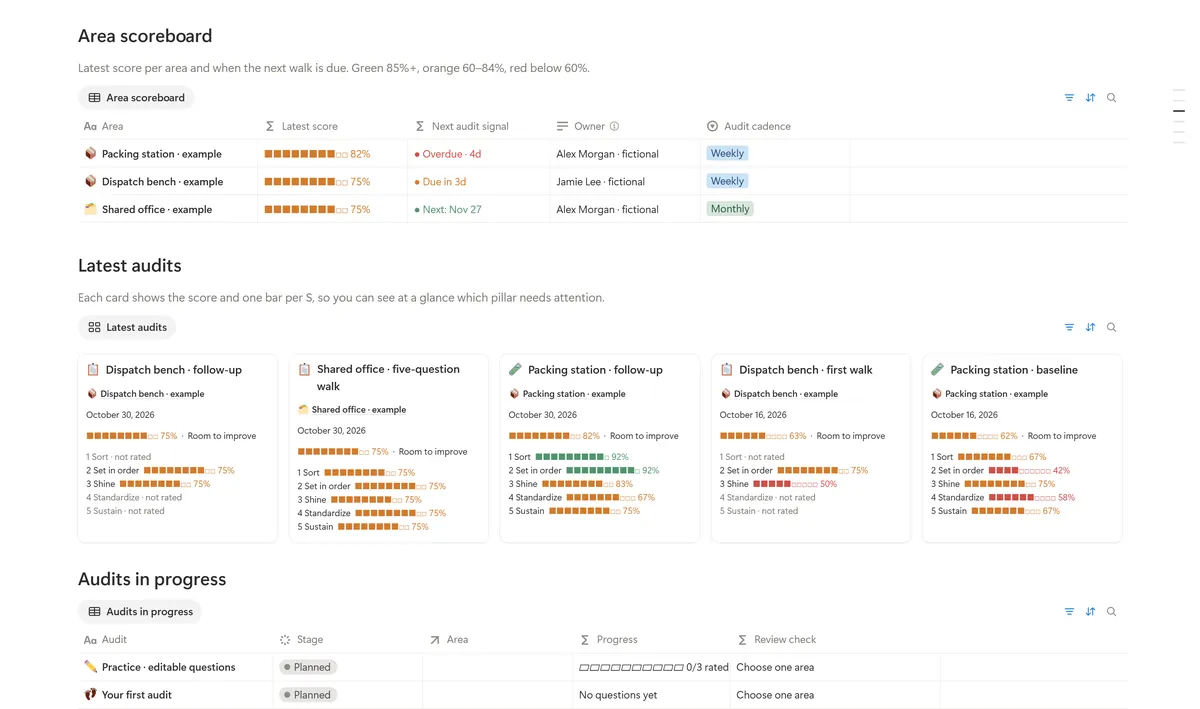
- Short audits on a fixed schedule, with the score posted in the area.
- Every gap turned into an action with an owner and a due date.
- Leaders who walk the area and ask about the standard, not only about output.
- Asking why an area slipped and fixing that cause, rather than cleaning up again.
How to run a 5S audit
A 5S audit is a short walk through one area with a fixed list of questions. It turns "the area looks fine" into a score you can compare over time.
- Pick the area and the auditor. Audit one area at a time. The auditor should be someone who doesn't work there every day, with someone from the area walking alongside.
- Set the rhythm. Weekly while a new area is being set up, then every two to four weeks once it is stable.
- Score each question from 0 to 4. Mark a question N/A, with a reason, when it doesn't apply to the area.
- Work out the score. Add up the ratings and divide by 4 times the number of questions that apply. 15 questions with a total of 45 points give 45 ÷ 60 = 75%.
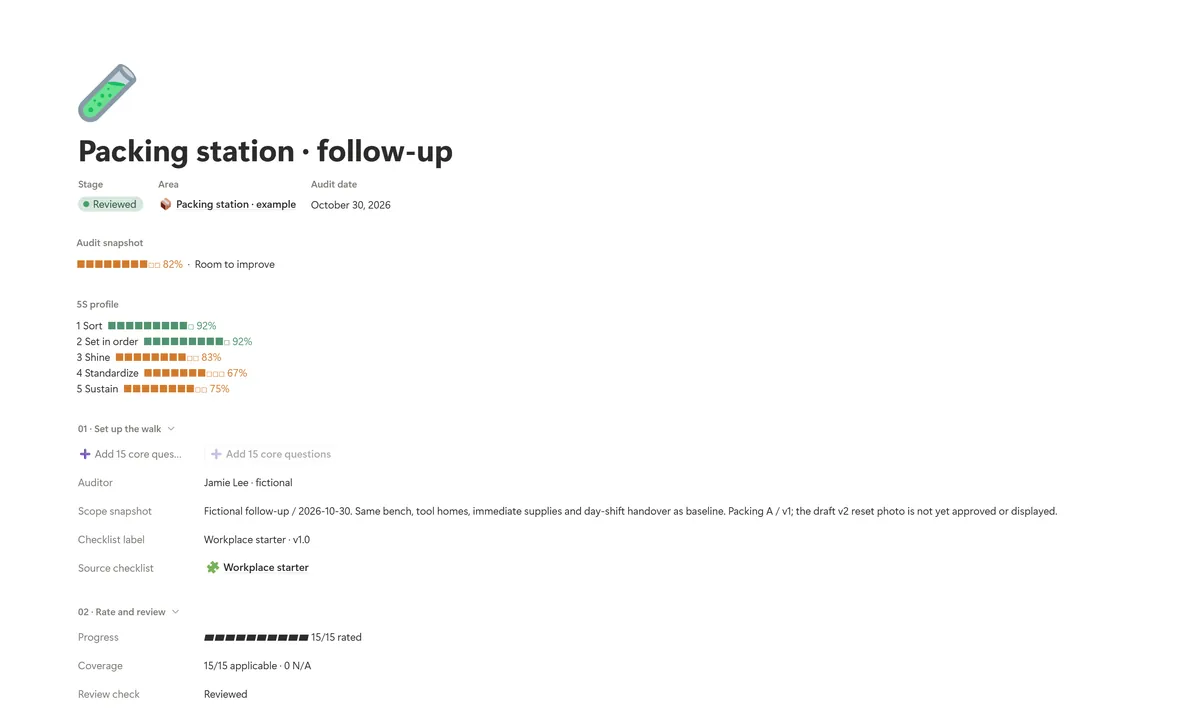
- Look at each S on its own. An overall 75% can hide 40% for Sustain. The weakest S tells you where to start.
- Turn every gap into an action. Anything scored 0 to 2 gets an action with an owner, a due date and a check that proves it is fixed.
| Score | Meaning |
|---|---|
| 0 · Absent | Nothing in place |
| 1 · Started | In place in a few spots only |
| 2 · Partial | Partly in place, with clear gaps |
| 3 · In place | In place across the area |
| 4 · Sustained | In place and kept up over time, without prompting |
5S audit checklist: 15 questions
Use these as a starting point and rewrite them for your own area. Three questions per S keeps every step equally weighted.
| # | S | Question |
|---|---|---|
| 1 | Sort | Only items needed for the current work are in the area: no broken tools, old stock or personal clutter. |
| 2 | Sort | Items nobody is sure about are red-tagged and in a holding area with a decision date. |
| 3 | Sort | Floors, benches and aisles hold nothing without a clear owner or purpose. |
| 4 | Set in order | Every tool, material and document has a marked home: a label, outline or shadow. |
| 5 | Set in order | The most used items are closest to where they are used. |
| 6 | Set in order | Walkways, work zones and storage spots are marked and kept clear. |
| 7 | Shine | Floors, machines and work surfaces are clean: no dust, oil, scrap or leaks. |
| 8 | Shine | Problems found while cleaning are tagged and reported, and the tags are being worked on. |
| 9 | Shine | Cleaning tools and supplies are in their marked place and stocked. |
| 10 | Standardize | A photo or drawing of the area at its best is posted where people can see it. |
| 11 | Standardize | 5S and cleaning tasks have named owners and a schedule. |
| 12 | Standardize | Labels, colors and floor markings follow the site standard. |
| 13 | Sustain | Actions from the last audit are closed or on track. |
| 14 | Sustain | People who work here can explain the area standard and their part in it. |
| 15 | Sustain | Audits happen on schedule and the latest score is visible in the area. |
5S vs 6S, and 5S in the office
6S adds a sixth S, Safety: checking for hazards such as blocked exits, missing guards and trip hazards on every walk. Many sites prefer to build safety into all five steps instead of a separate S. Either works, as long as safety is checked on every audit.
5S in the office uses the same steps: sort old files and supplies, give shared items a labeled home, reset desks and meeting rooms, agree on a shared-drive folder structure and a naming rule, and check it every month. Digital 5S is often the bigger win: time lost hunting for the latest version of a file is waste, just like hunting for a wrench.
Common 5S mistakes
- Treating it as a clean-up day. Without Standardize and Sustain the area slides back within weeks.
- Labeling before sorting. You end up with tidy labels on things nobody needs.
- Doing 5S to people instead of with them. The people who work in the area know what they use; they should decide where it goes.
- Audits without actions. A score nobody acts on teaches people that the audit doesn't matter.
- No owner for the area. Shared spaces without an owner are always the first to slip.
When an area keeps slipping for the same reason, treat it as a problem to solve. Our guide to 5 Whys root cause analysis shows how.
Frequently asked questions
What are the 5S steps in order?
Sort, Set in order, Shine, Standardize and Sustain. In Japanese: seiri, seiton, seiso, seiketsu and shitsuke. The order matters: sort first, so you don't organize things you don't need.
What is the main purpose of 5S?
To make a workplace safe, clean and organized so that problems such as a missing tool, a leak or excess stock are visible at a glance. That cuts searching, waiting and mistakes, and it is the base for other lean tools such as standard work and preventive maintenance.
How often should you do a 5S audit?
Weekly while a new area is being set up, then every two to four weeks once it is stable. A short audit on a fixed schedule works better than a long one now and then.
Is 5S only for manufacturing?
No. Hospitals, labs, warehouses, kitchens, offices and even shared computer drives use 5S. The steps are the same; only the examples change.
What is the difference between 5S and lean?
Lean is a way of running operations that focuses on customer value and removing waste. 5S is one of its basic tools: it creates the stable, visible workplace that other lean methods, such as kaizen and TPM, build on.